Join us at CES 2026 !
安裝設備
1
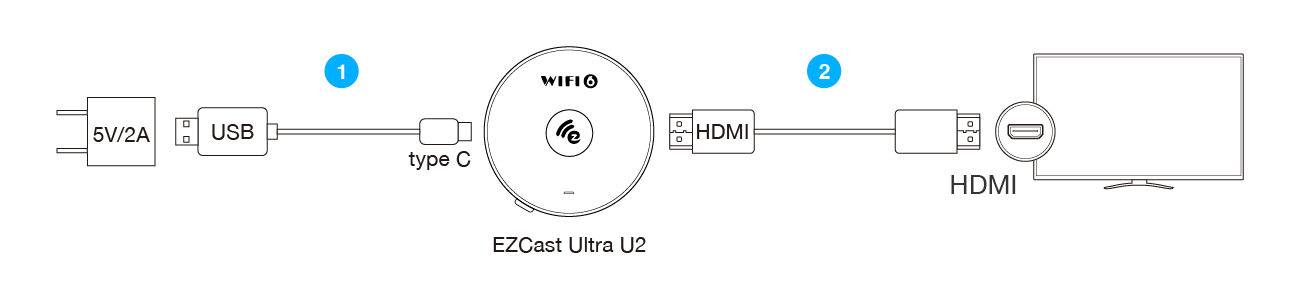
使用 Type-C 電源線將 EZCast Ultra U2 和電源連接,並將 USB 端頭插入(5V/2A) USB 電源適配器(或手機充電器)。
2
將 EZCast Ultra U2 的 HDMI 接頭連接至螢幕的 HDMI 連接埠。
3
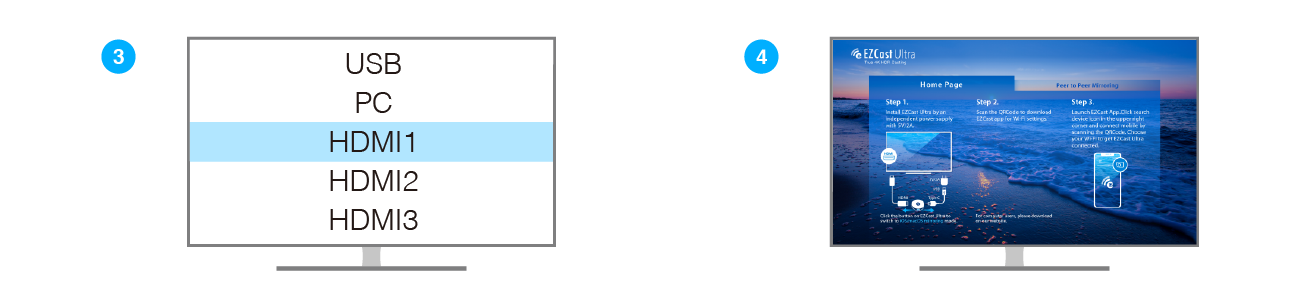
選擇連接 EZCast Ultra U2 的 HDMI 訊號源。
4
EZCast Ultra U2 連接成功後,螢幕將會顯示 EZCast 主畫面(如圖所示)。
請依以下步驟完成設定。
5
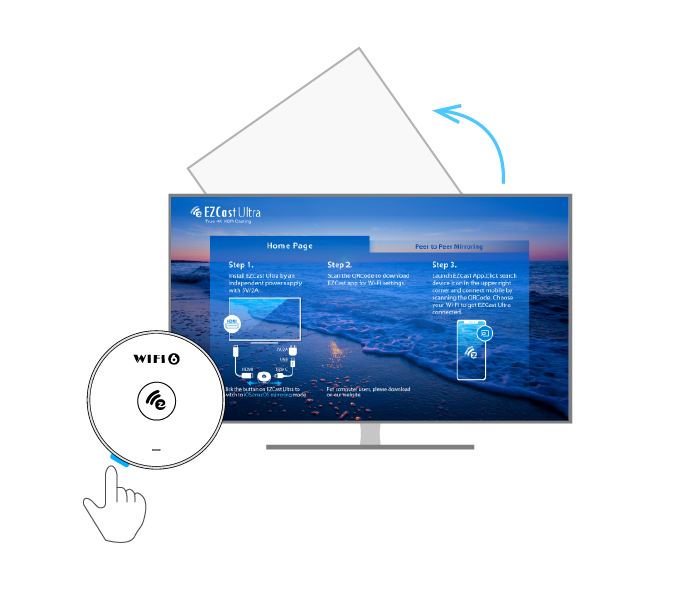
按壓 EZCast Ultra U2 上的按鈕可切換畫面為豎屏模式。
硬件安装
1
使用 Type-C 电源线将 EZCast Ultra U2 和电源连接。
2
将产品附带的 HDMI 线连接 EZCast Ultra U2 的 HDMI 接口和电视机的 HDMI 接口。
3
选择连接 EZCast Ultra U2 的 HDMI 信号源。
4
若 EZCast Ultra U2 连接成功,屏幕将显示如图示中的画面。
5
按压 EZCast Ultra U2 上的按钮可切换画面为竖屏模式。
Hardware Installation
1
Plug the type-C cable to Ultra U2, and power it up by connecting USB cable to an adapter (5V/2A).
2
Plug EZCast Ultra U2 dongle into a HDMI port on TV.
3
Set your TV’s source/ input selection to HDMI port that connected to the Ultra U2.
4
Your TV screen shall display the instructions once Ultra U2 is connected successfully.
Please follow the attached user manual to complete setup.
5
Press the button on the EZCast Ultra U2 to switch to portrait mode.